

Page Speed Monitor
Agent. Runs the check and watches your key pages on a schedule.
The page speed check is a skill in Ai1, the AI agent platform by MyZone AI. The Page Speed Monitor runs it with Google PageSpeed Insights: each page is loaded three times on a phone and three times on a desktop, given a grade and the key timing numbers, and checked against Google's real visitor data where it exists. You get the fixes ranked by impact.
A grade you can read
Phone and desktop each get a grade, with the key numbers explained in plain words.
Fixes in order
The changes that save the most time come first, naming the files and sizes involved.
Proof a change helped
A retest after the change shows the before and after side by side.
At a glance
| Tests | Any public page, three loads on a phone and three on a desktop |
|---|---|
| Uses | Google PageSpeed Insights and Core Web Vitals |
| Pass or fail | Only from Google's real visitor data; the lab test is an estimate |
| You get | A grade, key numbers, page size and fixes ranked by impact |
| Fix steps for | WordPress, Shopify, Webflow, Next.js or whatever your site runs on |
| Run by | The Page Speed Monitor and the CRO Agent |
| Never | Edits or publishes your website |
A page that feels fine on the office desktop where the site was built can take seconds longer to show its main photo on a phone. A test on both, with the reasons in plain words, shows which file is costing the time.
How this differs from the Page Speed Monitor as a whole: the agent also watches your key pages on a schedule and alerts your contacts when one slows down; this skill is the test each of those checks runs.
How it works
Four steps. It reads your public pages only and changes nothing on your site.
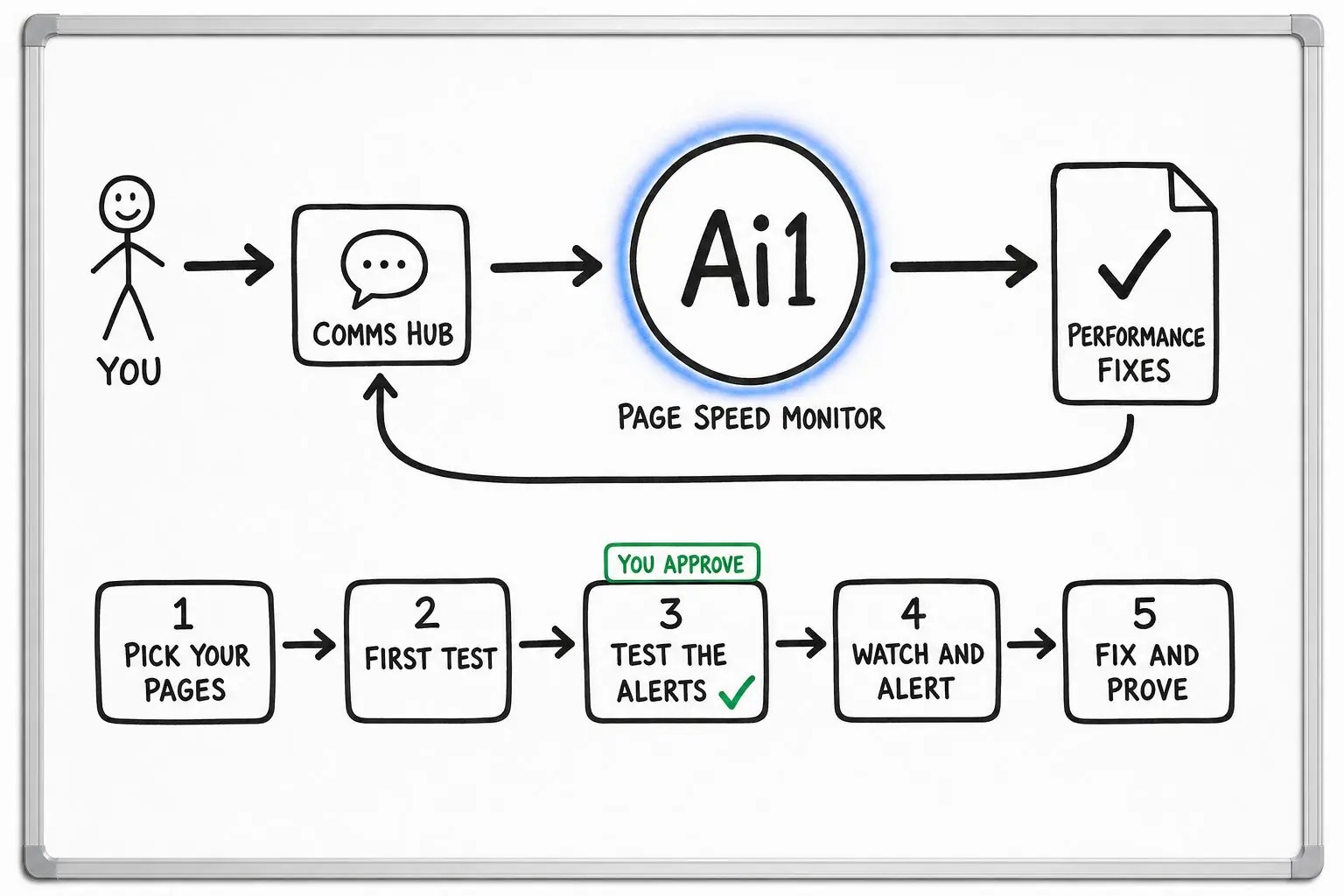
Pick one page, or the few page types that matter most, such as a product page and the checkout.
The page is loaded three times on each, alongside Google's real visitor data where there is enough of it.
Each fix names the files and sizes found and gives plain steps for your platform.
You or your web team make the changes. If you ask, the list goes to the Webmaster, and a retest shows whether it helped.
Example speed check
Example with a fictional business. Names and figures are invented to show the kind of output you get.
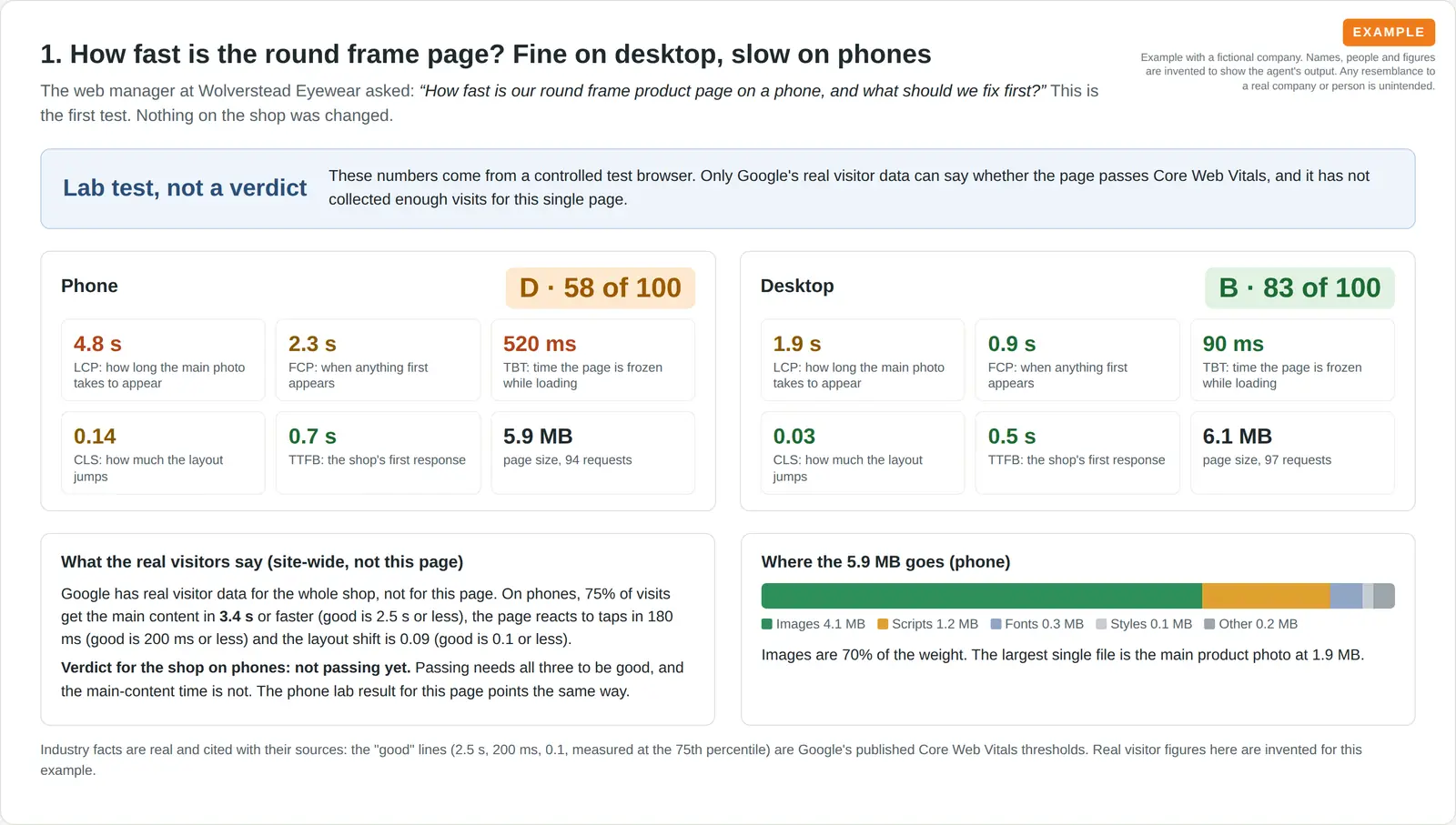
What it was asked: How fast is our round frame product page on a phone, and what should we fix first?
| On a phone | Grade D, 58 out of 100. The main photo takes 4.8 seconds to appear, against the 2.5 seconds Google treats as good. |
|---|---|
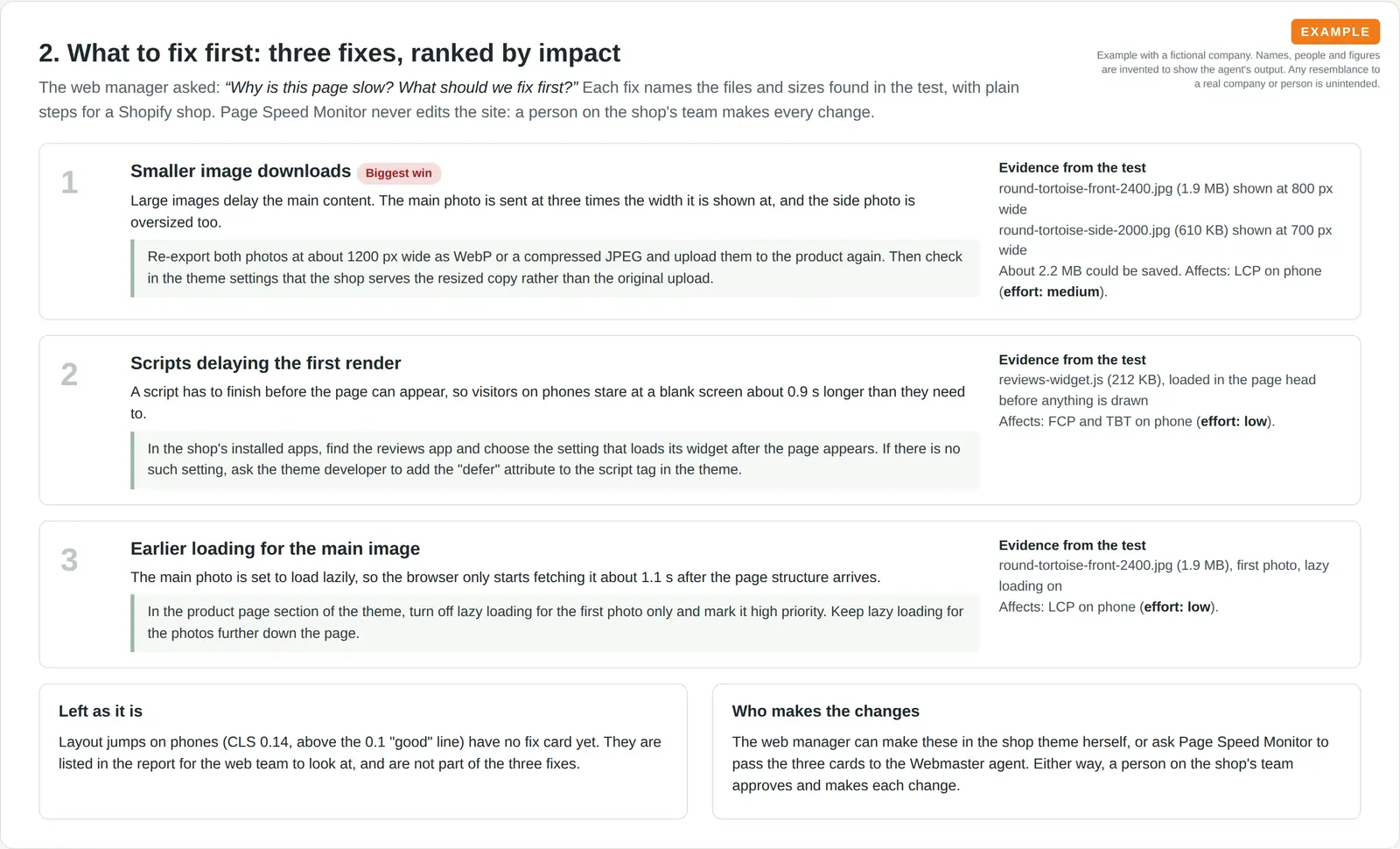
| The cause | Three fixes explain most of the delay: two oversized photos (1.9 MB and 610 KB), a 212 KB reviews script that holds up the first paint and a main photo that loads late. |
| After the fix | Score 58 to 76 once a person on the shop's team compressed the photos and deferred the script. The main photo now appears in 2.7 seconds. |
Built-in guardrails
How the page speed check stays honest about what it measures.
Better together
The agents that run this check, and the pages and skills it works with.
Agent. Runs the check and watches your key pages on a schedule.

Agent. Makes the fixes you choose and previews them before they go live.
Skill. Scores the rest of the page for what stops visitors signing up.
Recipe. Pairs speed checks with uptime checks every week.
Common questions
No. A lab test is an estimate. Pass or fail comes from Google's real visitor data, where Google has enough of it. The check keeps that verdict separate from the lab numbers and tells you when a page has no real visitor data.
Any public page. For regular checks you pick a few key page types, how often to test them and who should hear about a slowdown.
No. It never edits or publishes your website. You or your web team make the changes, or the Webmaster if you ask, and a retest then shows whether they helped.
Send us a page address and we will show you the grade and what to fix first.