

Analytics Setup Agent
Agent. Runs the audit on request and reports pass or fail.
The conversion tracking audit is a skill in Ai1, the AI agent platform by MyZone AI. The Analytics Setup Agent runs it on request: it checks that your Google Tag Manager tags and Google Analytics 4 key events are set up and actually receiving data, tells you what is missing, and changes nothing.
Trust your numbers again
Know which leads and sales are being counted, and which have quietly stopped.
Stop judging ads on bad data
Broken tracking is found before your ad budget follows it.
A short, ordered fix list
Each problem comes with what to fix first, so your team knows where to start.
At a glance
| Checks | Google Tag Manager tags and Google Analytics 4 key events |
|---|---|
| Access | View-only. It reads your setup and changes nothing |
| Looks for | Tags that are missing, and events that are set up but not receiving data |
| You get | Pass or fail for each action you count, plus fixes in order |
| Run by | The Analytics Setup Agent, on request |
| Also used in | The weekly ads review recipe, as its first step |
Tracking breaks quietly. A site update renames a button or a new booking page goes live, and the tag stops recording. Nobody notices until the monthly numbers look wrong, and by then ad money has followed bad data. The audit gives you a pass or fail for everything you count, with the evidence and a short list of fixes in order.
How this differs from a full setup by the Analytics Setup Agent: the agent can build your tracking from scratch; the audit only checks what is already there, and changes nothing.
How it works
Four steps, all read-only. You decide what gets fixed and who fixes it.
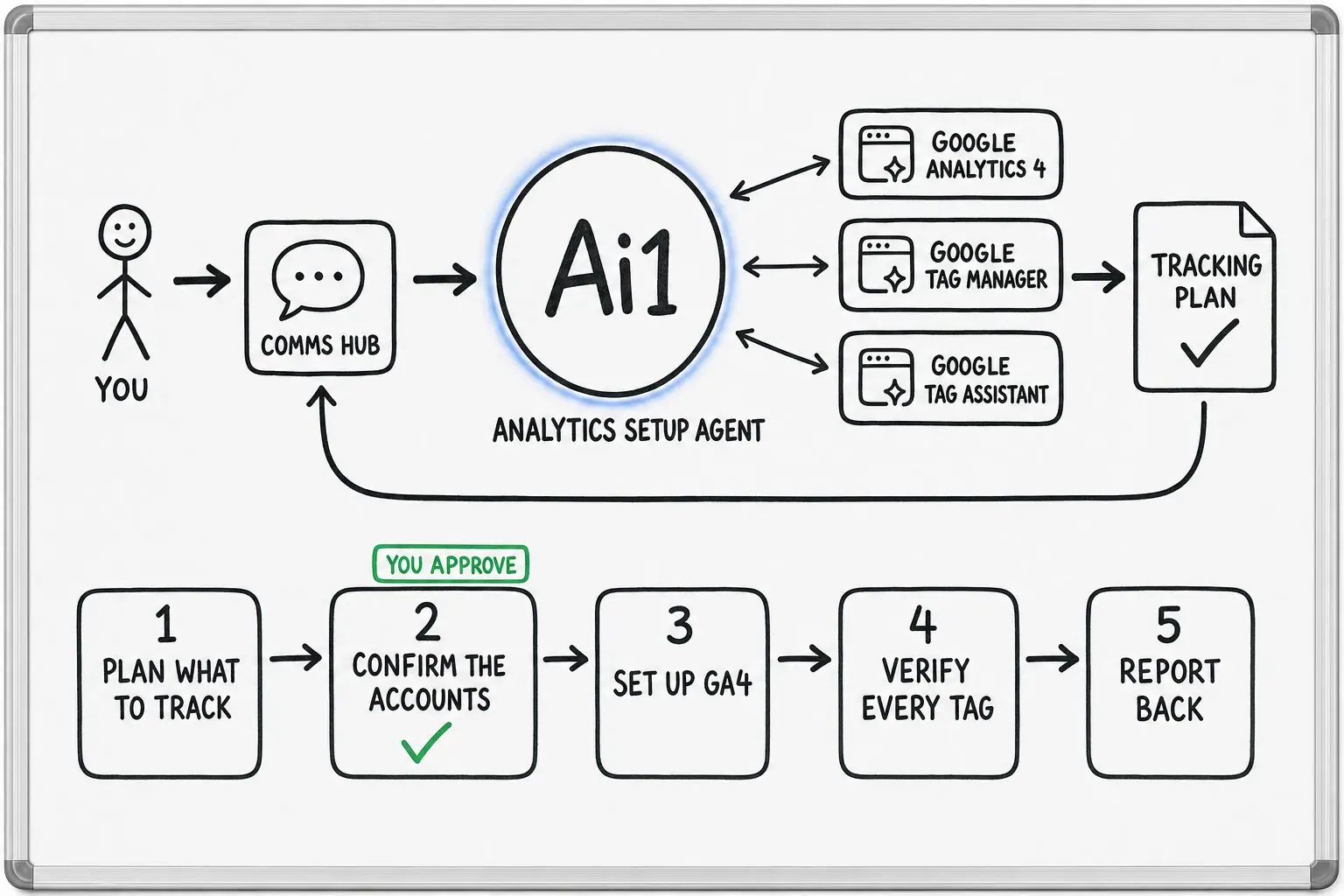
Confirms which actions matter to your business: forms, calls, bookings, quotes or purchases.
Looks for a tag behind every action on the list.
Checks that each key event is actually receiving data.
You get a result for each action and the fixes in priority order. Your team decides what to change.
Example tracking audit
Example with a fictional business. Names and figures are invented to show the kind of output you get.
What it was asked: Bookings dropped in our reports after the new booking page went live. Is our tracking still counting?
| Booking confirmed | Problem, high. The tag is set up, but no data has arrived since the new booking page went live on 3 September. |
|---|---|
| Quote requested | Problem, high. The new quote button has no tag, so quote requests are never counted. |
| Newsletter sign-up | Small fix. Recorded, but not marked as a key event, so reports leave it out. |
| Contact form sent | Passing. Recorded on every form page. |
| Phone number tapped | Passing. Recorded on phone and desktop. |
Built-in guardrails
The audit is read-only. Here is how it keeps you in control.
Better together
The agents and recipes that use this skill.
Agent. Runs the audit on request and reports pass or fail.

Agent. Relies on it before judging any campaign.
Recipe. The audit is step one every week.
App. Each fix lands on your task list with an owner.
Common questions
No. The audit reads your Google Tag Manager container and Google Analytics 4 property with view-only access, and reports what it finds. Nothing in your setup is changed while it runs.
Any fix is made by your team, or by the Analytics Setup Agent after you confirm it. You see the full list first, in priority order, so you decide what changes and when.
View access to your Google Analytics 4 property and your Google Tag Manager container. View access is enough, because the audit only reads your setup.
It also helps to agree which actions count as a lead for your business, such as forms, calls, bookings, quotes or purchases. The audit confirms that list with you first, then checks each one.
Whenever your site changes, for example a new booking page, a new form or a redesign. Those are the moments when tags quietly stop recording.
If you run paid ads, it also runs as the first step of the weekly ads review, so every week's fix list is judged on numbers you can trust.
Your team, or the Analytics Setup Agent after you say yes. The audit itself only reports: a pass or fail for each action you count, with the evidence and the fixes in order.
Each fix can land on your task list in Ai1 Tasks with an owner, so nothing found by the audit is forgotten.
We will run the conversion tracking audit on your own setup and walk you through the result.