

Sales Call Coach
Agent. Scores each call and coaches the rep.
The call summary is a skill in Ai1, the AI agent platform by MyZone AI. The Sales Call Coach and the Market Intelligence Analyst run it on call transcripts, from a recording or pasted notes: it pulls out a summary, who was on the call, the client, the type of call, the action items, the sentiment and a draft follow-up email. It analyses only.
No call goes unreviewed
Every recorded call gets a written summary, not just the ones someone listens back to.
Next steps on record
Action items are pulled out, so nothing agreed on the call is lost.
A follow-up ready to edit
A draft follow-up email comes with every summary.
At a glance
| Reads | Call transcripts, from a recording or pasted notes |
|---|---|
| Pulls out | Summary, participants, client, call type, action items and sentiment |
| Drafts | A follow-up email for your rep to review |
| Run by | The Sales Call Coach and the Market Intelligence Analyst |
| Never | Contacts your customers |
Listening back to recordings takes hours, so most calls are never reviewed, and next steps agreed on a call are easy to lose. A written summary of every call keeps the action items, shows how the customer felt and gives the rep a follow-up to start from.
How this differs from the Sales Call Coach as a whole: the agent also scores each call and coaches the rep; this skill is the summary each call report starts from.
How it works
Four steps. It analyses only, and never contacts your customers.
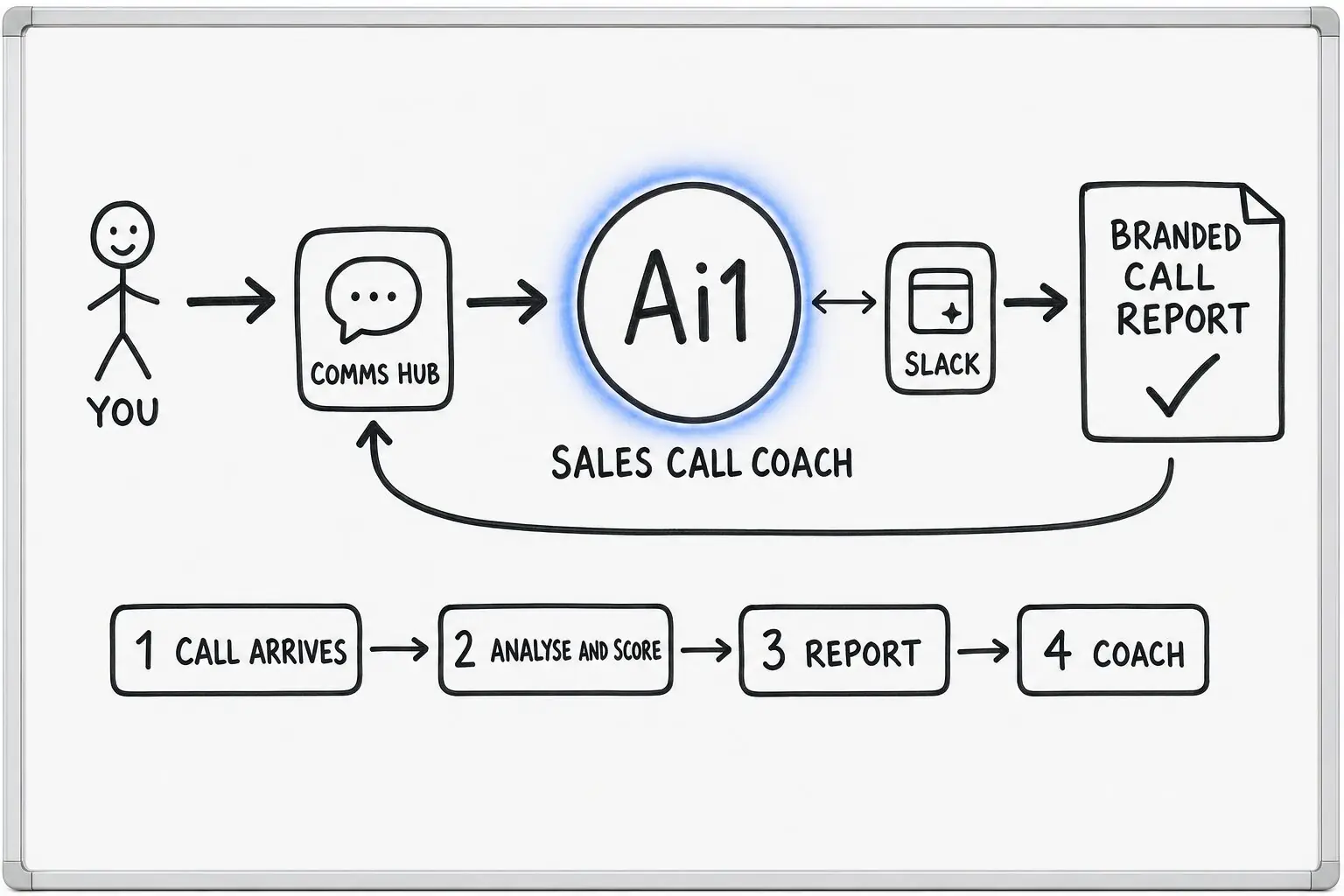
The transcript comes from a recorded call or from notes you paste in.
It works out the client, the people, the type of call and the sentiment.
The summary lists what was agreed and drafts a follow-up email.
Your rep reviews the draft and decides what to send.
Example call report
Example with a fictional business. Names and figures are invented to show the kind of output you get.
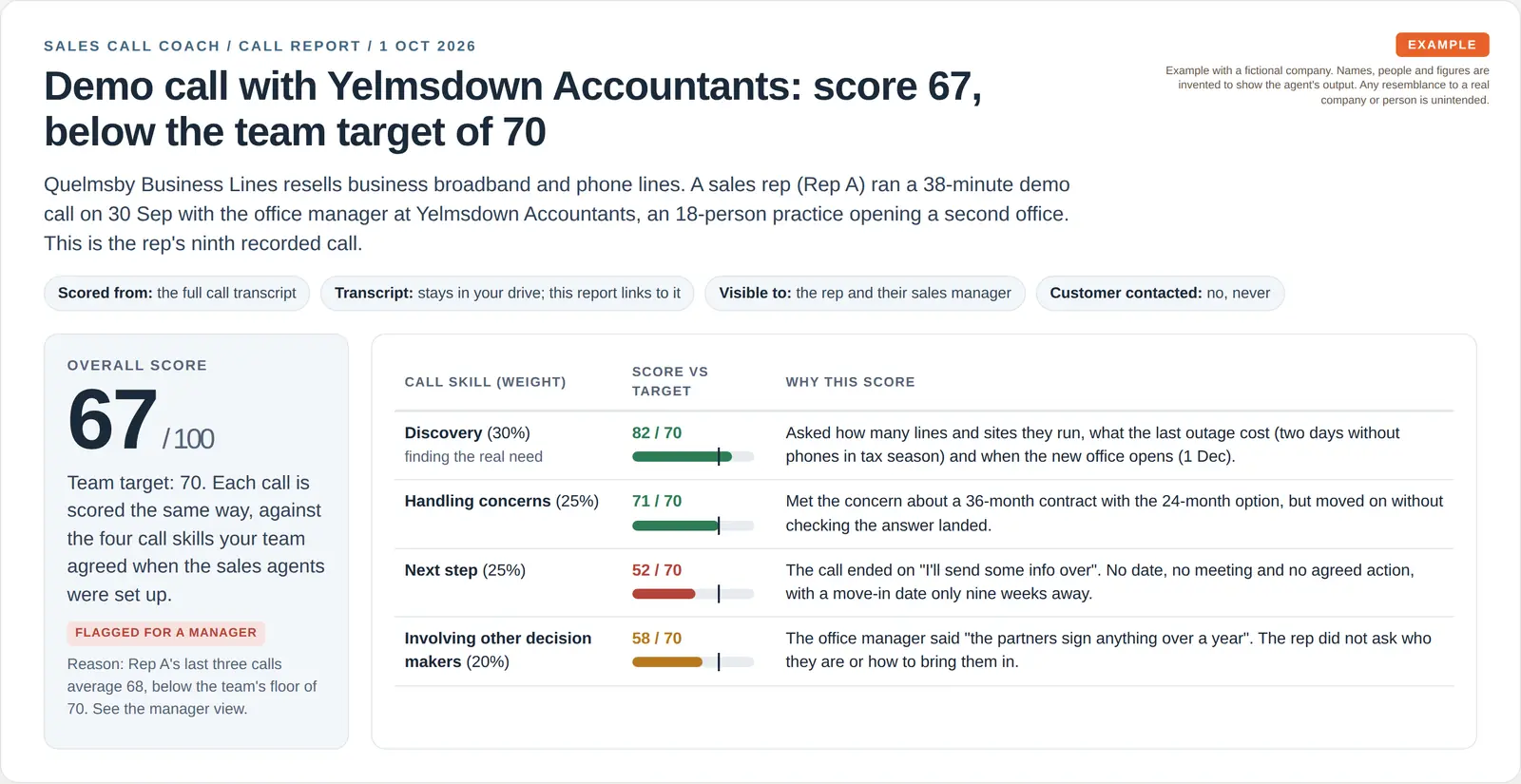
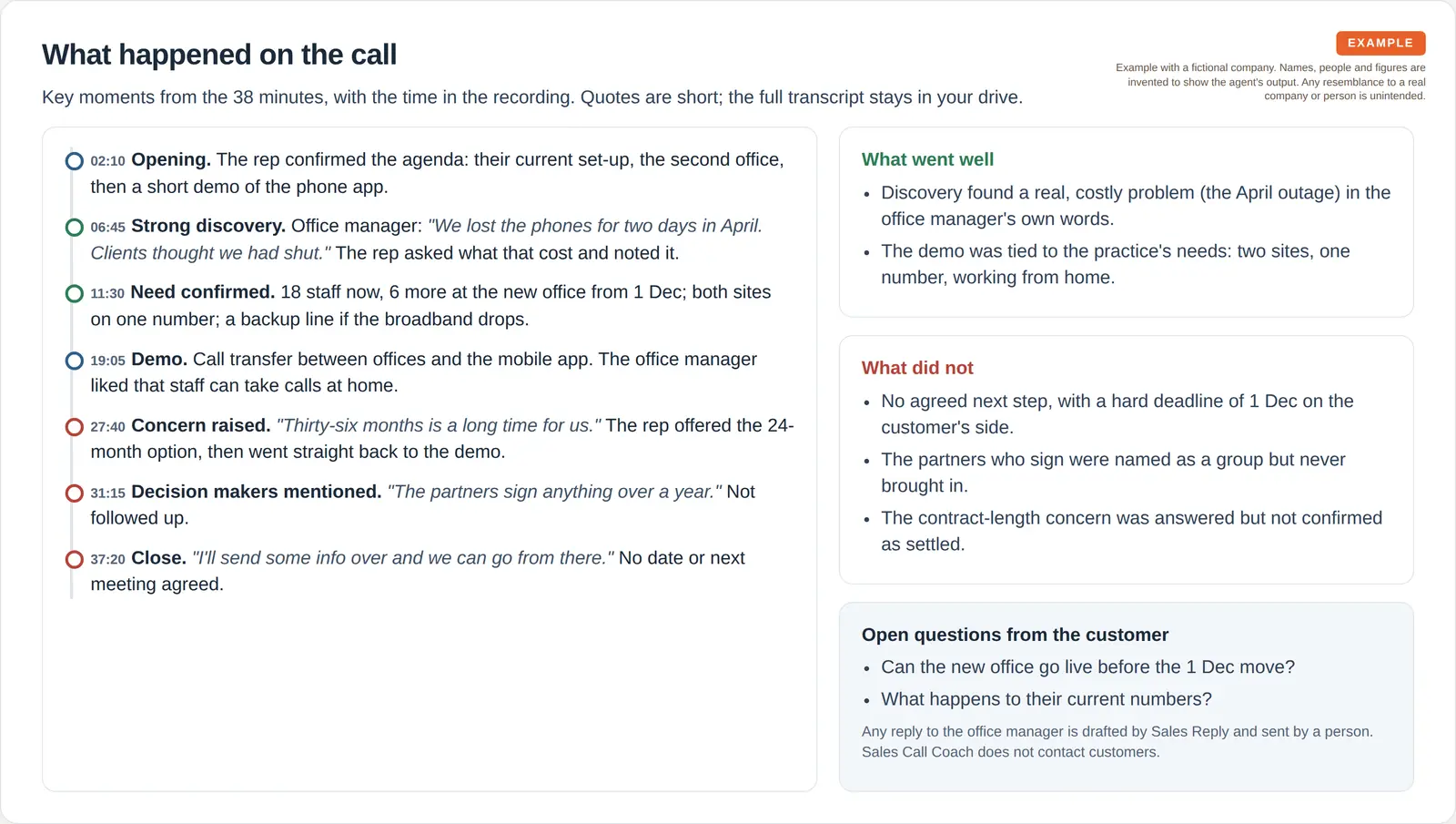
What it was asked: Here is yesterday's recorded demo call with Yelmsdown Accountants: write the call report, coach the rep and tell the sales manager if anything needs her attention.
| Outcome | No next step. Discovery was strong, but the call ended with no agreed next step and no date. |
|---|---|
| The pattern | Four calls running with the next step below target, so the coaching gives two things to try. |
| Manager flag | Three-call average 68 below the team floor of 70, so the call goes to the sales manager to decide. |
Built-in guardrails
How the call summary stays on your side of the conversation.
Better together
The agents that run this skill, and the agents they work with.
Agent. Scores each call and coaches the rep.

Agent. Drafts the follow-up email after a call, for a person to send.

Agent. Uses call findings to improve the team.

Agent. Shows call reports alongside the pipeline in one view.
Common questions
A call transcript, from a recorded call such as a Zoom recording, or notes you paste in.
No. It never contacts your customers. It drafts the follow-up email, and your rep decides what to send.
Yes. The Sales Call Coach and the Market Intelligence Analyst both use it, reading the call transcripts you give them access to.
Bring a call transcript and we will show you the summary and the follow-up.