

Designer
Agent. Checks every final design for accessibility and brand fit.
The accessibility check is a skill in Ai1, the AI agent platform by MyZone AI. The Designer, the Landing Page Builder and the Portal Compliance Agent run it before work ships: it audits a web address, a page file or a set of colour pairs against WCAG 2.2 Level AA and returns a report with each finding and how to fix it.
Text everyone can read
Colour pairs that fail contrast are caught before they reach a page or a pack.
Fixed before launch
Problems are found in the design, not after customers complain.
A fix for each finding
Each issue comes with what to change.
At a glance
| Checks | A web address, a page file or a set of colour pairs |
|---|---|
| Standard | WCAG 2.2 Level AA |
| You get | A report with each finding and its fix |
| When | Before a design, page or app ships |
| Run by | The Designer, the Landing Page Builder and the Portal Compliance Agent |
| Decides | You, at the design and page approvals |
A colour that looks right on screen can fail the contrast test, so small print and buttons become hard to read for many customers. Finding it after launch means rework on a live page. The check runs before you see the final design, so what reaches you has already been tested.
How this differs from the Designer as a whole: the agent builds your brand book and designs; this skill is the accessibility test every final design must pass.
How it works
Four steps, before anything reaches your review.
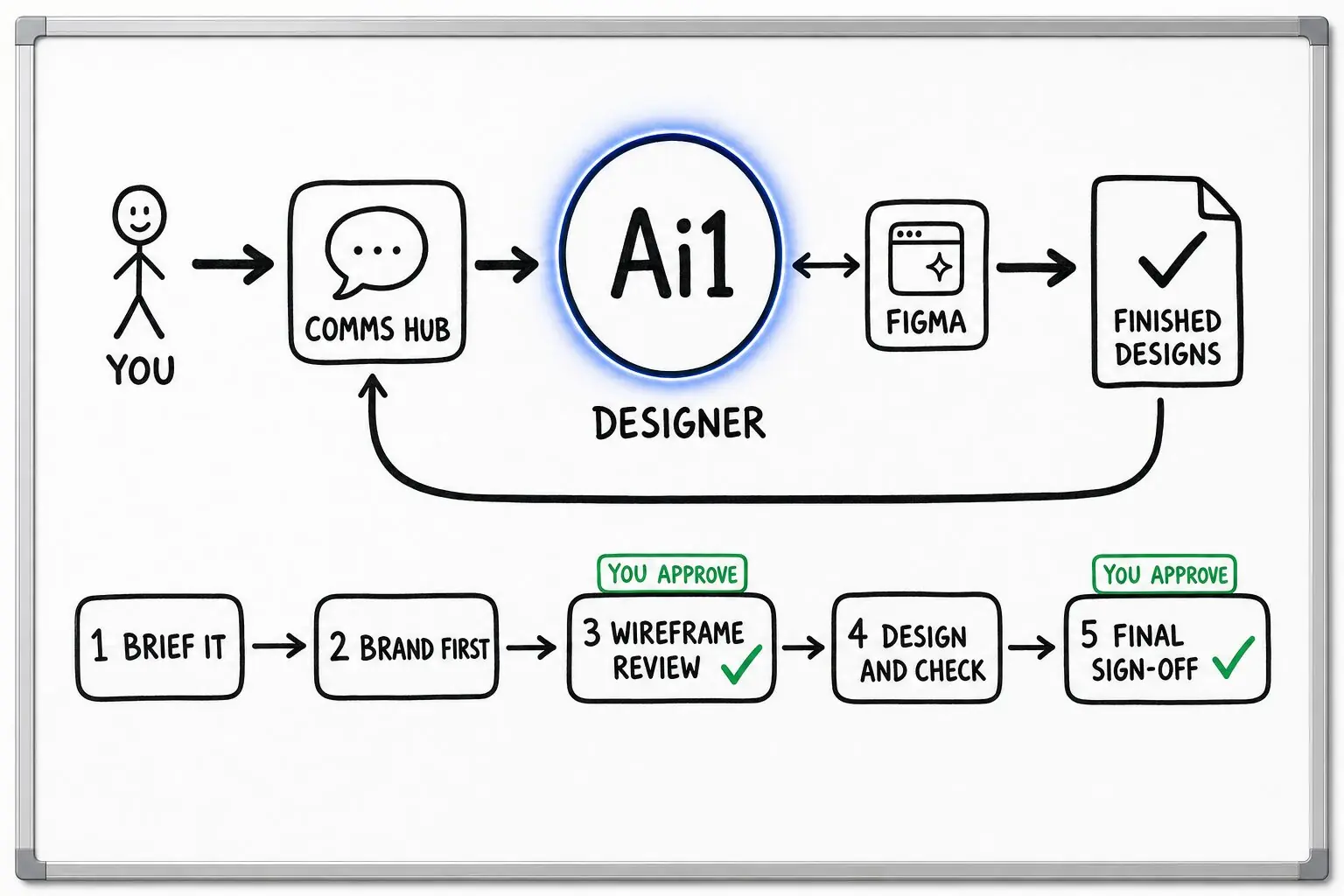
A design, landing page or app reaches the end of its build.
The page or colour pairs are checked against the standard.
Anything that fails comes back with what to change, and is fixed before review.
You review the checked work. It goes live only after your approval.
Example accessibility check
Example with a fictional business. Names and figures are invented to show the kind of output you get.
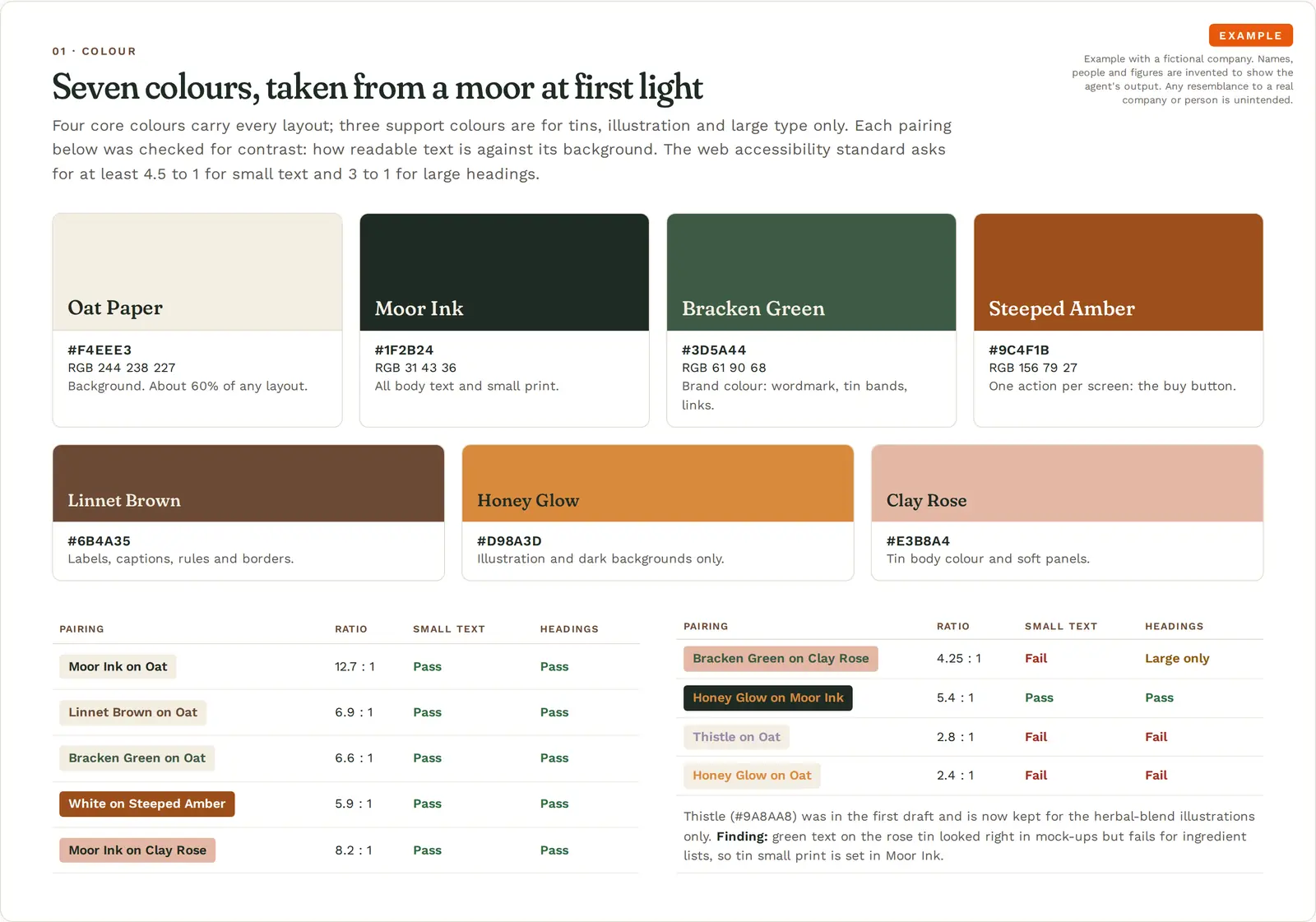
What it was asked: Give me a calm, grown-up starter look for my new tea brand (colours, fonts, logo direction, a tin and a home page sketch, and the rules) that my designer can use from day one.
| Brand colours | Four of seven colours are safe for small text. Green on the rose tin failed contrast at 4.25 to 1, so small print uses dark ink. |
|---|---|
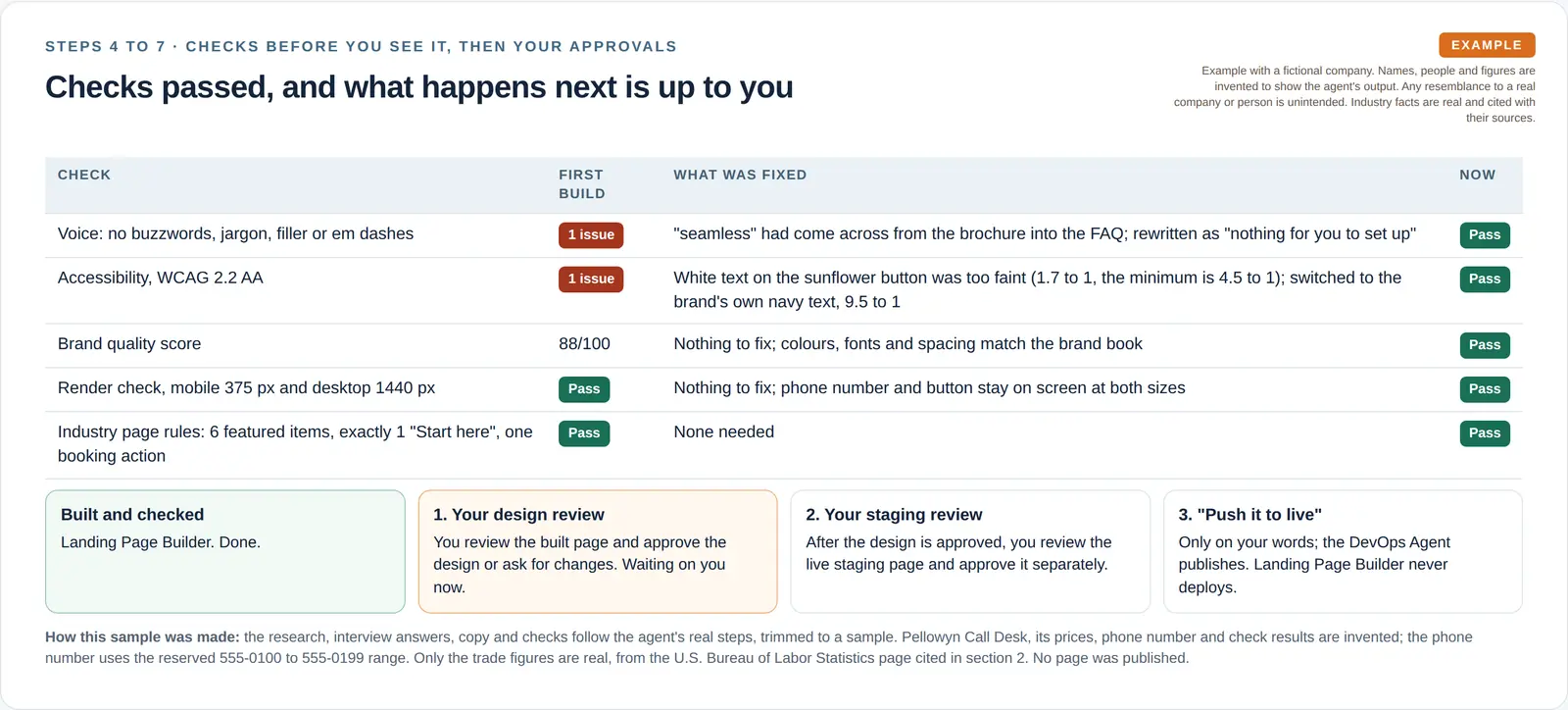
| Landing page button | Fixed. A low-contrast button failed the first build of a plumbers page and was fixed before review. |
Built-in guardrails
How the accessibility check fits around your approvals.
Better together
The agents that run this check, and a skill they work with.
Agent. Checks every final design for accessibility and brand fit.

Agent. Checks each page it builds before your review.
Skill. Passes its visual and layout fixes to the Designer.
Common questions
WCAG 2.2 Level AA, the level most accessibility rules and policies ask for.
A live web address, a page file before it is published, or just a set of colour pairs, such as a new brand palette.
The agent that built the work fixes it before your review, and the report says what changed. Live changes are published only after your approval.
Send us a page or your brand colours and we will show you the check.